¶ Medium Voltage Devices Experience – Completely Reinvented
Working with Medium Voltage configurations is now faster, more streamlined, and visually clearer across the entire PartnerHub ecosystem.
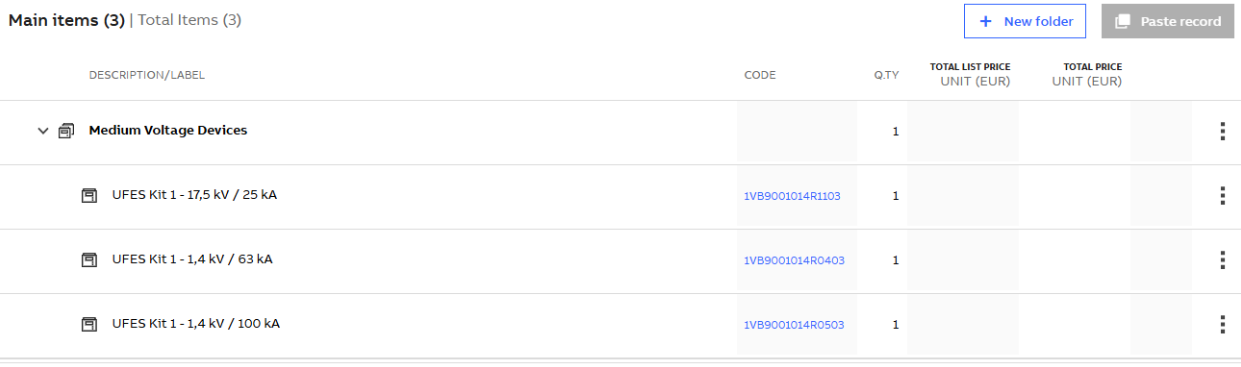
¶ Unified Medium Voltage Device Grouping
All Medium Voltage Devices from the Medium Voltage Devices Configurator are now automatically grouped under a dedicated parent item labeled "Medium Voltage Devices" in the Bill of Material (BOM). This applies to both new and existing projects, with automatic migration for legacy structures.
Key Benefits:
- Clean structure for all Medium Voltage components
- Easier navigation and bulk management
- Legacy projects auto-updated to the new format
¶ Bulk Editing & Highlighting
You can now perform bulk edit and delete operations directly from the parent Medium Voltage group. Editing from an individual item highlights it inside Medium Voltage eConfigure.
Key Benefits:
- One-click full group edit or delete
- Item-level highlighting inside Medium Voltage eConfigure
- Consistent group behavior
¶ BOM Editing Restrictions for Medium Voltage Devices
To maintain integrity, manual actions like editing quantities, deleting, dragging, copying or duplicating Medium Voltage items are no longer allowed inside BOM. All changes must happen through the configurator.
Key Benefits:
- Prevents manual data inconsistencies
- Full control stays within the configuration tool
¶ Medium Voltage eConfigure – Full Platform Integration
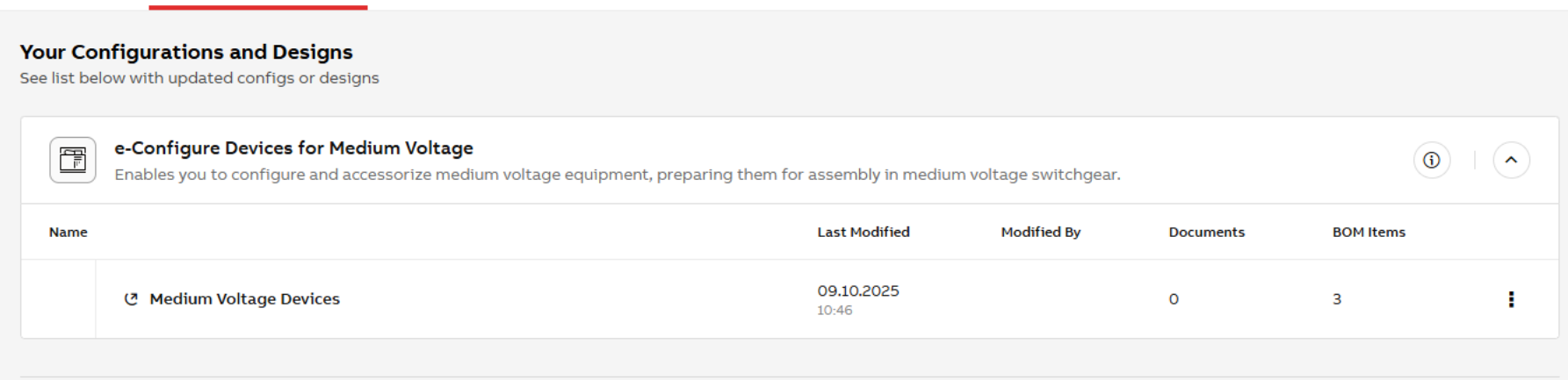
Medium Voltage eConfigure now appears across the platform just like other tools:
- Project Design Page → With icon, title, and description
- Recently Used Configurators → With consistent icon display
- Home Sidebar → Listed with proper labeling
Key Benefits:
- Visibility and consistency across views
- Seamless access to Medium Voltage workspaces
¶ Guided Mode Aware of Existing Medium Voltage Configurations
If a user tries to add a new Medium Voltage configuration in Guided Mode but one already exists, a modal appears with contextual info and options.
Key Benefits:
- Prevents duplicates
- Clear decision-making and control
- Optional reminder suppression for advanced users
¶ Medium Voltage -Only Project Protection
In Medium Voltage -only projects, the “Add Device” option has been removed from folder menus to prevent unsupported LV additions.
Key Benefits:
- Avoids invalid project content
- Simplifies the UI for Medium Voltage users
¶ Easier Collaboration & Navigation
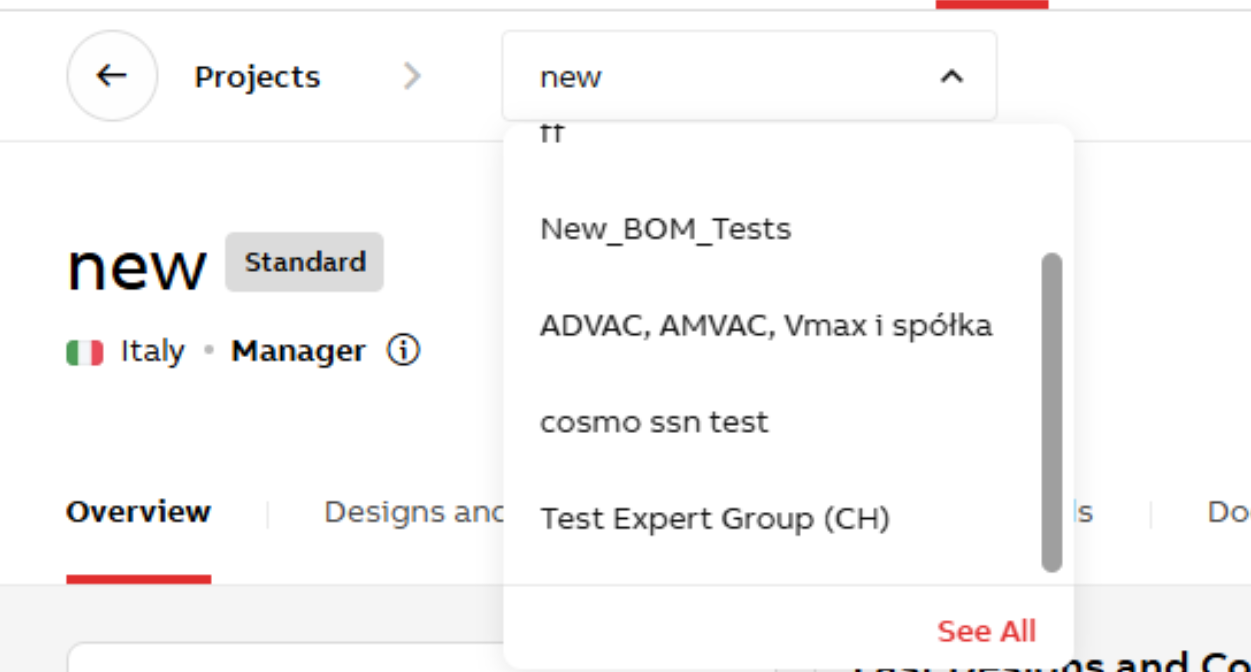
¶ Unified Project Header with Breadcrumbs
All project pages now feature a streamlined header with breadcrumb navigation, updated tab names, and collapsible behavior on scroll.
Key Benefits:
- Fast project switching
- Space-saving design
- Always know where you are
¶ Breadcrumbs in Project Creation & Settings
Breadcrumbs have also been added to the Project Creation and Settings views for clearer orientation.
Key Benefits:
- Improved navigation clarity
- Fast backtracking to dashboard or project list
¶ Add Groups During Project Creation
You can now add and manage groups directly from the Project Creation page. A new link opens group settings in a new tab.
Key Benefits:
- Seamless group management
- No progress lost during creation
¶ Collaborator Role Switching & Access Requests
Roles for collaborators can now be changed directly from the Overview page modal. A new tab shows pending join requests with Accept/Reject actions.
Key Benefits:
- Live role adjustments (Manager / Guest)
- Manage join requests without email clutter
¶ Better Documents and Files Handling
¶ Smart “Pending” Status in BOM
The "Pending" label for detailed documentation now stays visible until both prices and documents are fully generated.
Key Benefits:
- Clearer communication on loading status
- Reduces confusion when docs are still generating
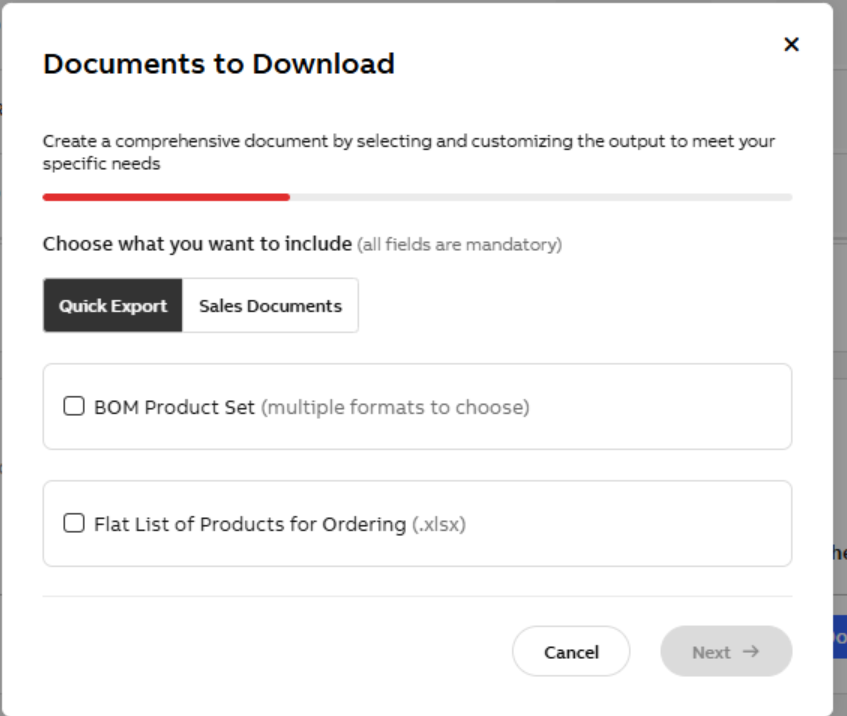
¶ Redesigned Documents to Download Modal
The document generation modal now includes tabbed categories and two new document types:
- BOM Product Set (.docx, .xlsx, .pdf, SAP .xlsx)
- Flat List of Products for Ordering (.xlsx)
Key Benefits:
- Easier to find the right output
- Cleaner layout, simpler scope selection
¶ Always-Visible Upload Document Button
You can now upload documents from the Recent Files section even when files are already listed.
Key Benefits:
- More intuitive workflow
- Upload without navigating away
¶ Smarter Tool Usage & Customization
¶ Tool Search in “Start with New Tool”
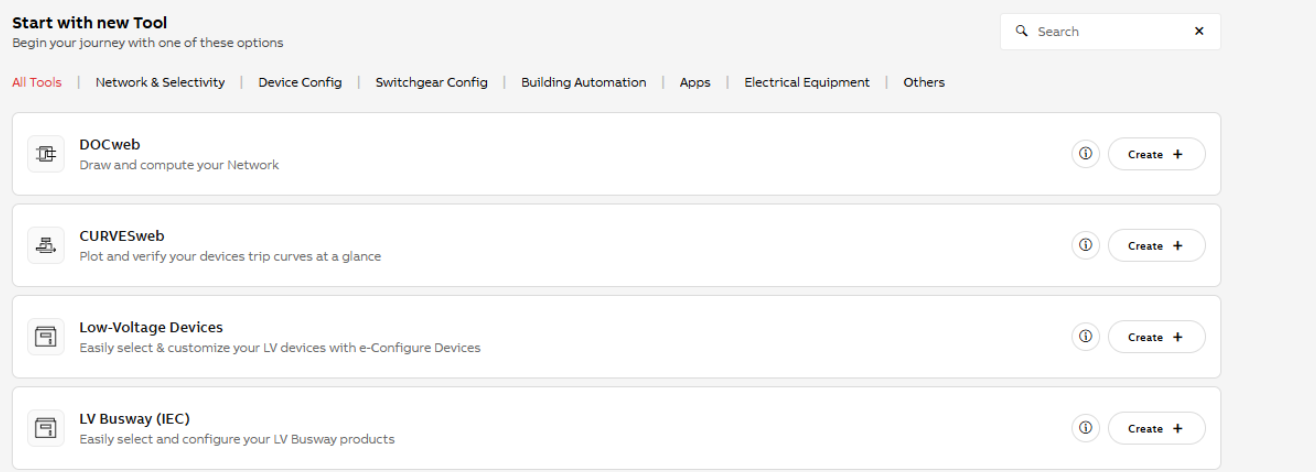
The homepage and Project Designs and Configurations now include a live search to quickly locate tools by name or description.
Key Benefits:
- Instant filtering after 3 characters
- Includes partial matches and descriptions
¶ Updated Tool Tabs & Messaging
Tool category labels have been renamed to improve clarity. When no tools match a search, a user-friendly empty state is shown.
Key Benefits:
- More logical categorization
- Clear feedback when results are empty
¶ Enclosure Type in “Last Designs and Configurations”
You can now see the type of Enclosure directly below the tool name in the “Last Designs and Configurations” section.
Key Benefits:
- Easier recognition of previous work
- Saves time when reviewing designs
¶ Precision & Personalization
¶ Show Modification Time in Configuration List
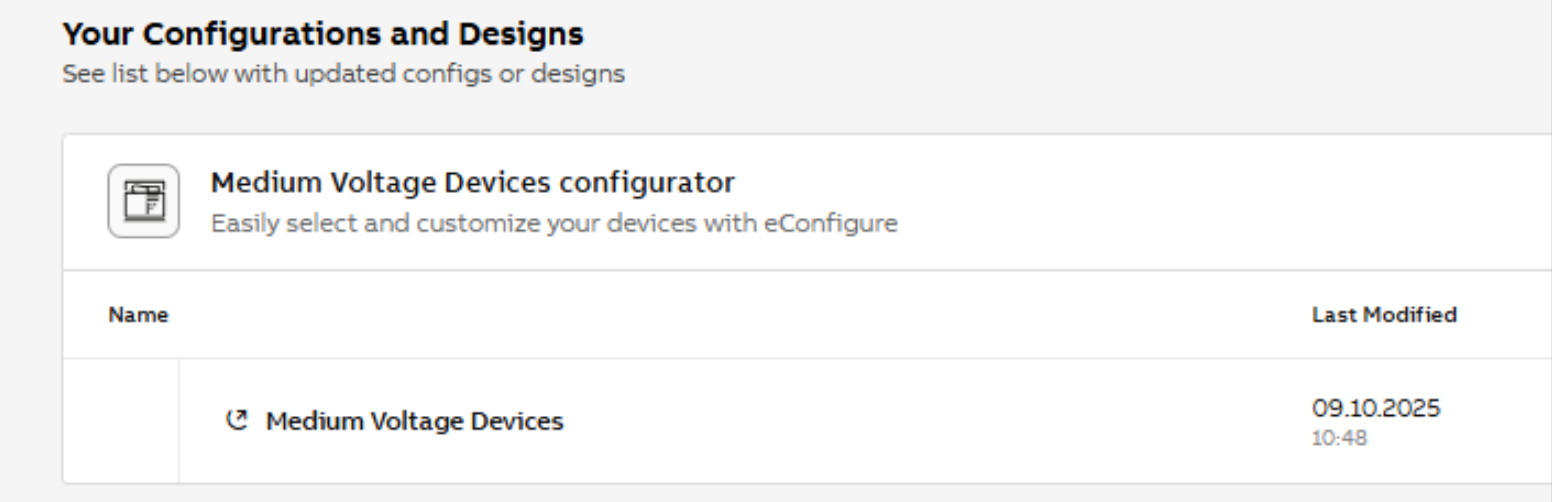
The modification date and exact time (hh:mm) are now shown in the “Added Configurations and Designs” table for better visibility.
Key Benefits:
- Greater tracking precision
- Useful for collaboration or audit
¶ Default Currency for Indian Projects
Projects created for India now default to INR as the pricing currency, aligning with local tools and expectations.

Key Benefits:
- No need to manually switch from EUR to INR
- Pricing reflects correct regional logic